

Karat transfer
Karat Transfers allow you to instantly move funds between Karat Banking customers at no cost. To send a Karat Transfer, search for the recipient using the phone number associated with their Karat account.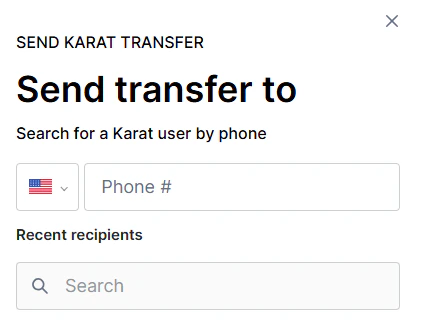
Transfer between your organizations
If you belong to multiple Karat organizations, you can send a Karat Transfer directly to another one of your organizations without copying ACH details or searching by phone number. When you open the recipient step of a Karat Transfer, any other organizations you have access to that have an eligible Karat checking account appear under a Your organizations section above your recent recipients. Select an organization to route the transfer to that organization’s checking account, then continue through the standard amount and review steps. Only organizations with an eligible Karat checking account are listed. If you don’t see one of your organizations, confirm that it has Karat Banking set up and a checking account available to receive transfers. To switch between organizations for other tasks, see Switching between organizations.ACH transfer
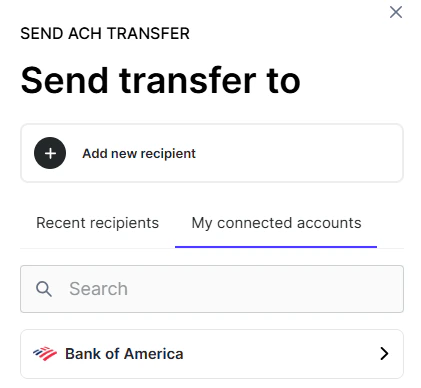
ACH transfers are free and typically take 3 to 5 business days to complete. When adding a recipient, the recipient name can include letters, numbers, and spaces. This makes it easier to enter business names that contain numbers (for example,7Eleven LLC).
Domestic U.S. wire
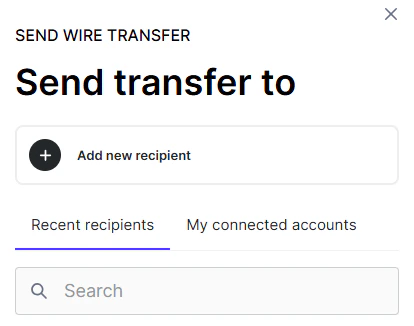
Wires are processed the same business day if initiated before 1:30 PM PT. Domestic wires are $20 per wire. Existing Karat Premium subscribers pay no domestic wire fee. When adding a recipient, the recipient name can include letters, numbers, and spaces. This makes it easier to enter business names that contain numbers (for example,7Eleven LLC).
International wire
Karat Banking supports international outbound wire transfers in U.S. dollars (USD). You can send international wires directly from your dashboard. International wires cost $40 per transfer. This fee applies to all accounts. You must have sufficient available balance to cover both the full wire amount and the $40 wire fee. If sufficient funds are not available, the wire cannot be processed.How to send an international wire
- Navigate to Send Money. Go to Banking > Move Money > Send Money and select International wire as the transfer method.
-
Select or add a beneficiary. Choose a saved beneficiary or add a new one. When adding a new beneficiary, you’ll need to provide:
- Beneficiary type: select whether the recipient is an Individual or a Business
- Recipient’s full legal name (up to 35 characters)
- Recipient’s address (street, city, and country)
- Receiving bank’s SWIFT/BIC code (8 or 11 characters)
- Recipient’s bank account number
- An optional routing number
- An optional intermediary (correspondent) bank BIC
- Verified: the beneficiary passed compliance checks and is ready to receive transfers.
- Pending: verification is still in progress. You can still initiate a transfer, but it will be held until verification completes.
- Disabled: the beneficiary did not pass compliance checks and cannot receive transfers.
- Enter transfer details. Enter the transfer amount in USD and a description for the recipient (up to 140 characters). The $40 fee is shown before you confirm.
- Review and confirm. Review the transfer details, including the recipient, amount, fee, and estimated arrival. Confirm to submit the transfer.
Tracking an international wire with the UETR
Each international wire is assigned a UETR (Unique End-to-end Transaction Reference): a Swift-network identifier you can use to trace the wire through the international banking system. To find the UETR for a wire:- Open the transaction. From your dashboard, go to Banking > Activity and select the international wire transaction.
- View the UETR. The UETR appears in the transaction details once the wire has been submitted to the Swift network. It is a 36-character identifier formatted like
d6401d56-fbac-4994-a1d7-81ad30d0d03a. - Share with the recipient or receiving bank. Provide the UETR to the recipient or their bank if they need to locate the incoming wire. The receiving bank can use it to look up the wire’s status and routing across intermediary banks.
The UETR is only available for international (Swift) wires. Domestic U.S. wires use an IMAD reference instead, which is also shown in the transaction details.
What happens if a beneficiary is pending verification
If you send an international wire to a beneficiary whose verification is still pending, the transfer is placed on hold and appears under Processing (no action needed) in your activity table. Once the beneficiary is verified, the transfer is automatically submitted. No further action is required from you. If the beneficiary does not pass verification, any held transfers are canceled and the funds remain in your account.International wires are sent in U.S. dollars only. Currency conversion, if applicable, is handled by the receiving bank. The $40 wire fee is charged separately from the transfer amount.