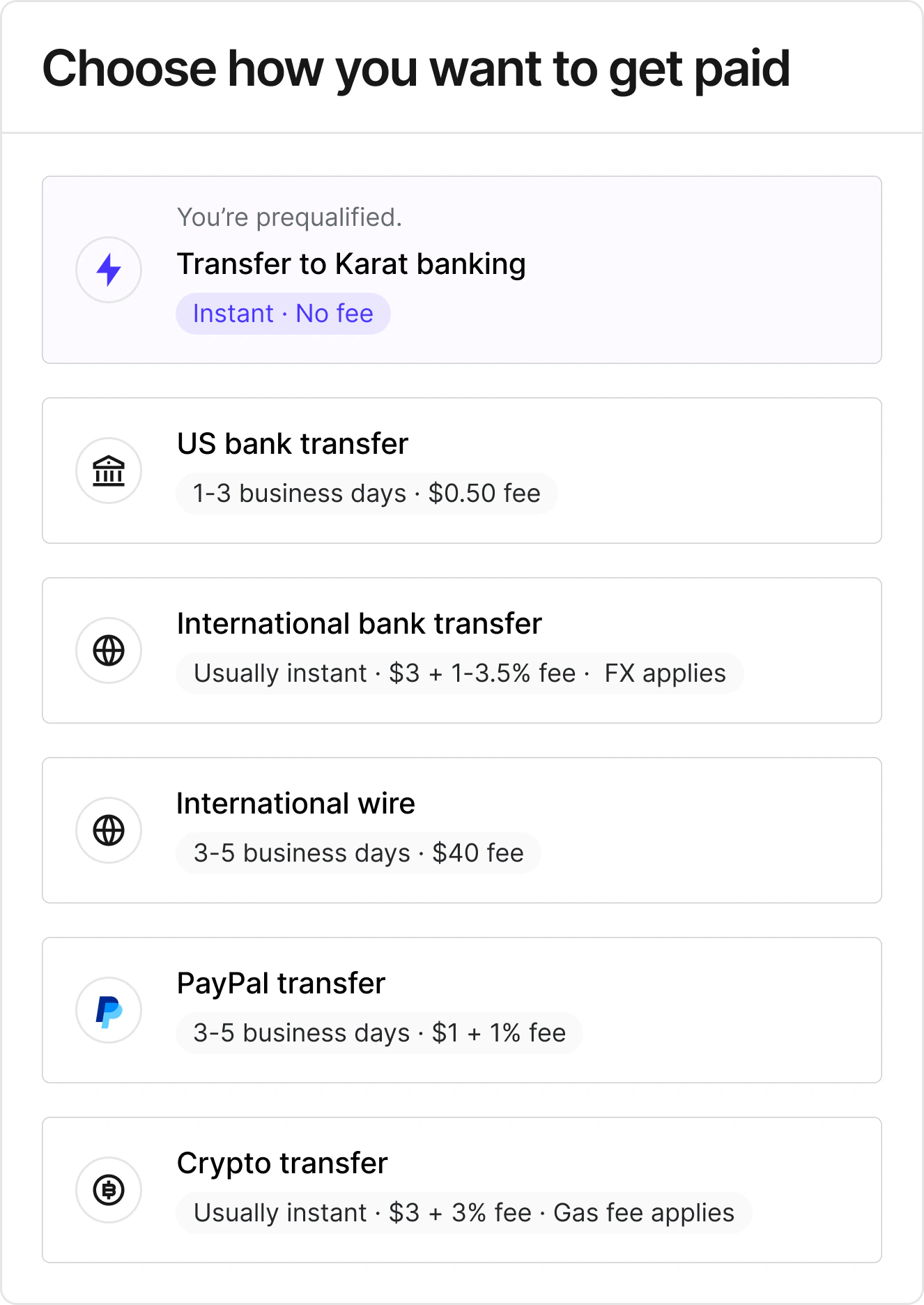
Fees depend on the payout method selected. By default, fees are paid by
the recipient and deducted from the payment amount. You can change this
so your organization covers the fee instead.
Domestic payments
| Method | Fee |
|---|
| ACH | Small per-transaction fee |
| PayPal | Percentage-based fee |
| Karat account | No fee |
| Crypto | Percentage + network (gas) fees |
International payments
| Method | Fee |
|---|
| International bank transfer (through local banks) | Flat + percentage fee |
| SWIFT wire transfer | Fixed fee |
| PayPal | Percentage-based fee |
| Crypto | Percentage + network (gas) fees |
Crypto network (gas) fees are always paid by the recipient, regardless
of the fee handling setting.
Who pays the fee
For each payment method, you can choose whether the fee is paid by the
recipient or by your organization (the payer). This is configured per
payment method in
payment settings.
| Setting | Behavior |
|---|
| Recipient pays (default) | The fee is deducted from the payment amount. The recipient receives the payment minus the fee. |
| Payer pays | The fee is charged on top of the payment amount. The recipient receives the full payment, and your account is debited for the payment plus the fee. |
- Go to payment settings
- Find the payment method you want to update
- Use the Who pays the fee dropdown to select Recipient pays or
Payer pays
The change takes effect for all future payments using that method. You can
update this setting at any time.
When you send a batch payment with payer-pays-fees enabled, the fee for
each recipient is shown in the Fees column on the confirmation screen.
The batch total includes both the payment amounts and any fees your
organization covers. .svg?fit=max&auto=format&n=pUJV8HLlqxn-6T3g&q=85&s=040ceb56d48a4dec82a6093c659b88da)
