> ## Documentation Index
> Fetch the complete documentation index at: https://help.trykarat.com/llms.txt
> Use this file to discover all available pages before exploring further.
# Connect your accounting software
Karat easily connects to your payment stack and accounting tools to help you streamline operations. Follow the steps below to integrate Karat with QuickBooks Online.
* On the left panel, select "Accounting"
* Then, select "Bank transactions" at the top
* Click "Link account"
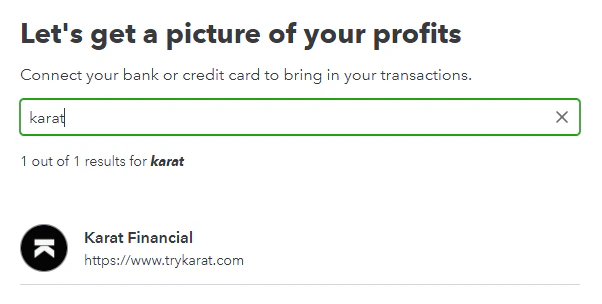 Click "Sign in" and provide your Karat account login credentials or sign in with Google.
In order to connect to Quickbooks, you must have admin permissions in the Karat account you are looking to connect.
Click "Sign in" and provide your Karat account login credentials or sign in with Google.
In order to connect to Quickbooks, you must have admin permissions in the Karat account you are looking to connect.
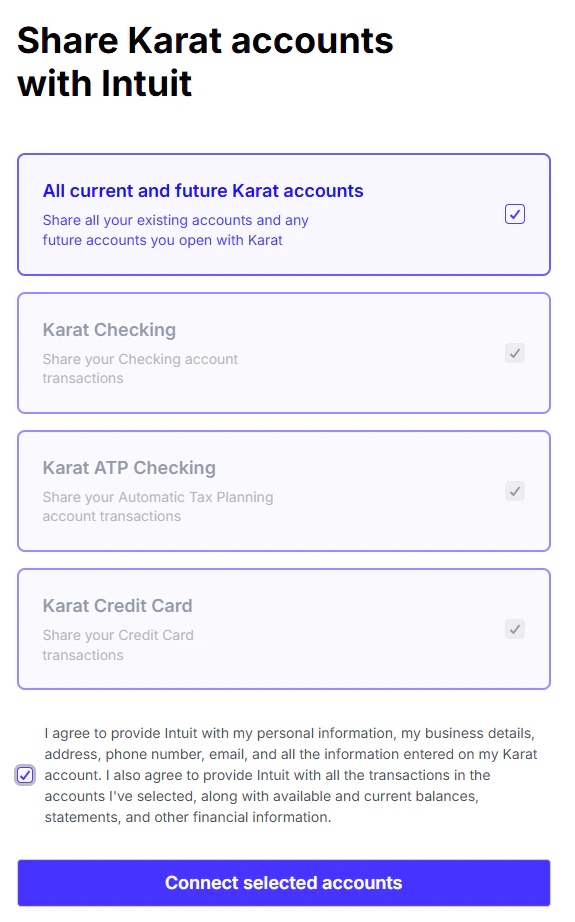 If you belong to multiple organizations, you will be asked to "select which organization" you want to connect. Choose the organization whose accounts you'd like to share with QuickBooks, then continue.
We suggest you select "All current and future Karat accounts" to ensure that you share all account details with QuickBooks even if you later open new accounts with Karat.
If you belong to multiple organizations, you will be asked to "select which organization" you want to connect. Choose the organization whose accounts you'd like to share with QuickBooks, then continue.
We suggest you select "All current and future Karat accounts" to ensure that you share all account details with QuickBooks even if you later open new accounts with Karat.
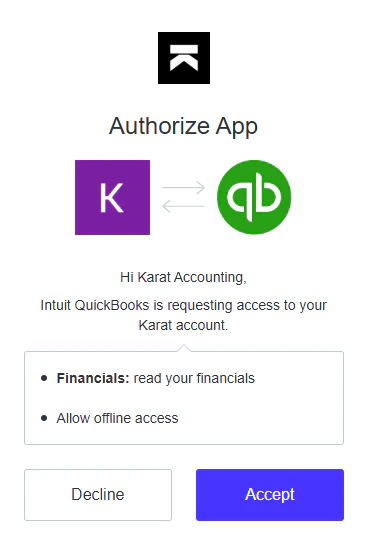 Karat Banking Checking and ATP Checking accounts are "checking" account types.
Karat Card is a "credit card" account type.
Your Karat transactions are in Quickbooks. Navigate to **Bookkeeping > Transactions > Banking** on Quickbooks to see all your transactions.
*Karat is a financial technology company, not a bank. Banking services provided by Grasshopper Bank, N.A., Member FDIC. The Karat Visa® Business Credit Card is issued by Cross River Bank, Member FDIC, and pursuant to a license from Visa️ USA.*
Karat Banking Checking and ATP Checking accounts are "checking" account types.
Karat Card is a "credit card" account type.
Your Karat transactions are in Quickbooks. Navigate to **Bookkeeping > Transactions > Banking** on Quickbooks to see all your transactions.
*Karat is a financial technology company, not a bank. Banking services provided by Grasshopper Bank, N.A., Member FDIC. The Karat Visa® Business Credit Card is issued by Cross River Bank, Member FDIC, and pursuant to a license from Visa️ USA.*